6 Nov 2025
The Best Training Authoring Tools & Software: A Buyer's Guide (2026)
maestro
Author

The Best Training Authoring Tools & Software: Features, Guide (2026)
Creating corporate training that is both effective and engaging is a primary challenge for L&D professionals. Static documents and text-heavy presentations fail to hold learner attention or build real-world skills. Training authoring software is the essential technology that bridges this gap, enabling L&D, HR, and enablement teams to build professional, interactive training content that drives measurable performance.
This guide provides a comprehensive framework for evaluating and selecting the best training authoring tools training authoring tools for your specific business needs, from key features to direct platform comparisons.
What are Training Authoring Tools?
Training authoring tools, often called training development software or training creation software, are applications designed to build interactive and engaging learning experiences. These are the platforms that L&D professionals and instructional designers use to create the content that is ultimately delivered to learners.
These tools allow creators to go beyond static documents like PDFs or PowerPoints. They empower the development of rich, interactive modules that include quizzes, complex scenarios, realistic simulations, video, and assessments. The final output is a formal course, often packaged in a format like SCORM (SCORM), which is then uploaded to a Learning Management System (LMS) (Learning Management System (LMS)) for delivery and tracking.
Key Features to Look For in Training Development Software
When evaluating training development software, the sheer number of features can be overwhelming. The best platform for your organization depends on the type of training you create. For professional corporate training, 6 features are critical.
Realistic Software Simulations
For any "how-to" systems training (e.g., Salesforce, Workday, or proprietary software), this is the most important feature. The tool must be able to record your screen and automatically convert your actions into a step-by-step simulation that learners can practice in a safe environment.
Scenario-Based Branching
To teach decision-making and soft skills (e.g., leadership, sales, or customer service), you need scenario-based branching. This feature allows you to build "choose your own adventure" style interactions where a learner's choice leads to a unique consequence and feedback, building real-world judgment.
Robust Quizzing & Assessments
For knowledge validation and compliance training, basic multiple-choice is not enough. Look for tools with a wide range of question types, such as drag-and-drop, sequencing, hot-spots, and fill-in-the-blanks. The ability to pool questions and randomize answers is essential for secure compliance assessments.
Video & Screen Recording
Modern training relies heavily on video. The training creation software must allow you to easily record your screen, your webcam, or both simultaneously. Built-in video editing features to trim clips, add text, and manage audio are essential for creating professional demonstrations and expert interviews.
Collaboration & Review Features
Training development is a team sport that involves instructional designers, Subject Matter Experts (SMEs), and stakeholders. Look for cloud-based collaboration features. The ability for a stakeholder to leave a time-stamped comment on a video or a contextual comment on a quiz question simplifies the review process and is 90% more efficient than managing feedback via email and spreadsheets.
SCORM/xAPI Compliance
This is a non-negotiable technical requirement for corporate environments. The tool must be able to export content in a standard format (SCORM 1.2, SCORM 2004, or xAPI) that can be tracked by your corporate LMS. This is the only way to get data on completions, scores, and learner progress.
How to Choose the Right Training Creation Software
This practical framework guides your purchasing decision. Answering these 4 questions before you evaluate vendors will provide a clear "scorecard" for selecting the right tool.
What type of training will we create most often? The answer to this dictates your primary feature needs.
- If you create... Systems/Software Training: You must have best-in-class screen recording and simulation features.
- If you create... Soft Skills/Sales Training: You must have powerful scenario-branching and video capabilities.
- If you create... Compliance Training: You must have robust, secure, and trackable quizzing features.
Who will be using the software? This defines the level of usability you require.
- If your users are... Instructional Designers/Developers: They can handle a steep learning curve in exchange for powerful, complex features (e.g., custom coding, variables).
- If your users are... Subject Matter Experts (SMEs) or Managers: You must have a simple, template-based, intuitive interface. A complex tool will not be adopted, and your SMEs will revert to using PowerPoint.
What is our budget and preferred pricing model? Pricing models in this market vary significantly.
- Perpetual License: This is a large, one-time cost to "own" the software license, plus an optional annual fee for maintenance and updates.
- Subscription (SaaS): This is a lower annual or monthly cost per user. This model is more common and includes all updates and support, but the cost is recurring. Be sure to ask about volume discounts.
How important are team collaboration and review features? If your team is remote, or if your SMEs are busy executives, cloud-based review features are essential. Desktop-only tools that require reviewers to download and email files create bottlenecks. A platform that allows for simple, in-browser commenting and real-time co-authoring saves hundreds of hours.
The Best Training Authoring Tools of 2025: A Review
This review categorizes the top training authoring tools by their primary strengths, mapping them to the selection criteria defined above.
Compozer
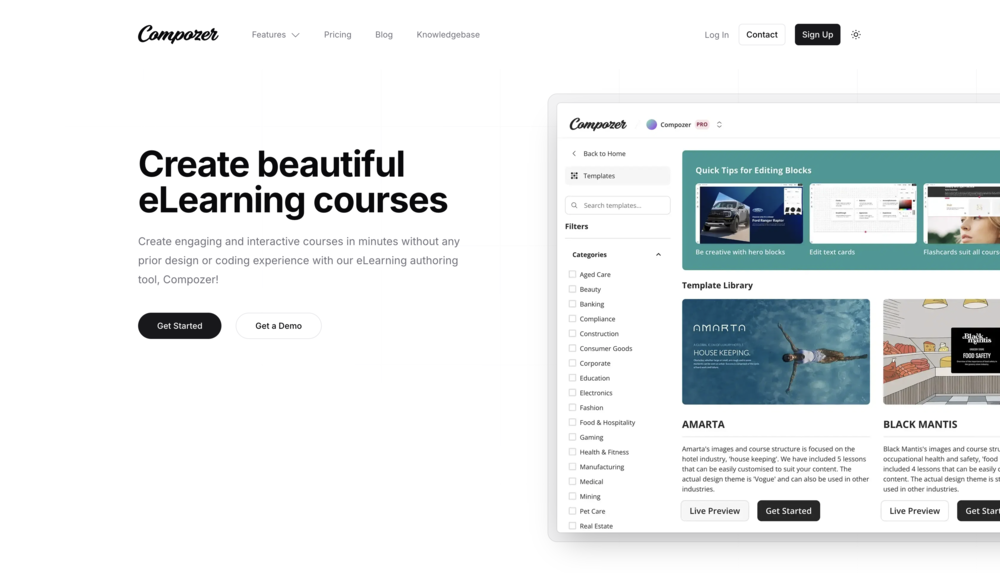
Compozer is a modern, cloud-native authoring platform designed specifically for rapid, collaborative training development. Its primary strength is its intuitive, template-driven workflow that empowers both instructional designers and Subject Matter Experts (SMEs) to create beautiful, responsive, and interactive content at scale.
Best For: Teams that need to create mobile-first, web-based training quickly, especially those who rely on SME-generated content.
Key Differentiator: Collaboration. As a true cloud-based platform, it offers real-time co-authoring and in-context review features, which streamlines the feedback loop with stakeholders. It is designed to remove the technical barriers of traditional tools.
Category: Rapid & Collaborative Authoring
Articulate Rise 360
Articulate 360 is the most popular training authoring software suite in the industry. It is not one tool, but a bundle of applications. The two most important are:
Storyline 360: A powerful, slide-based desktop application. It is the industry standard for creating complex, custom interactivity, branching scenarios, and software simulations. It has a steep learning curve but is extremely powerful.
Rise 360: A web-based tool for creating beautiful, "mobile-first," scrolling content very quickly. It is template-based and incredibly easy to use.
Best For: L&D teams that need to create all types of training. They use Storyline for complex simulations and Rise for simple, fast, responsive courses.
Key Differentiator: The suite. The combination of Storyline (power) and Rise (speed) covers 99% of corporate training needs. Its "Review 360" feature provides a strong cloud-based review cycle for both tools.
Category: All-in-One Suite
Adobe Captivate
Adobe Captivate is a powerful, desktop-based training development software that is a direct competitor to Articulate Storyline. Captivate's primary strength for many years has been its superior software simulation capabilities. It offers highly detailed and customizable screen recording options, making it a favorite in IT and software training departments.
Best For: Creating complex software simulations and virtual reality (VR) training.
Key Differentiator: Virtual Reality. Captivate has built-in features for creating immersive VR training experiences using 360° images and video, which is a key differentiator for specialized training. Its responsive design features are also very powerful, though many users find them complex to master.
Category: Software Simulation & VR
iSpring Suite
iSpring Suite is a unique training creation software that functions as a PowerPoint plug-in. This is its entire value proposition. It allows users to build courses, quizzes, and simulations directly inside PowerPoint, a tool that millions of users already know. This dramatically flattens the learning curve.
Best For: Organizations that want to empower their SMEs to create training without leaving PowerPoint.
Key Differentiator: PowerPoint Integration. The tool is robust and includes excellent quizzing, simulation, and video narration features, all accessible from the PowerPoint ribbon. It is the fastest way to turn existing presentations into legitimate, SCORM-compliant eLearning.
Category: PowerPoint-Based Authoring
Conclusion
Selecting the right training authoring tool is a strategic decision that directly impacts the quality, speed, and effectiveness of your corporate training programs. The best tool is the one that best matches your primary training needs and the technical skill level of your users.
For teams needing power and customization, a desktop-based tool like Articulate Storyline or Adobe Captivate is a strong choice.
For teams needing to empower SMEs and leverage existing PowerPoints, iSpring Suite is a perfect fit.
For teams that prioritize speed, collaboration, and a modern, responsive user experience, a cloud-native platform like Compozer is the definitive modern solution.
Frequently Asked Questions (FAQs)
What is the difference between an authoring tool and an LMS?
An authoring tool is the software you use to create the course (e.g., build quizzes, record video). An LMS (Learning Management System) is the platform you use to deliver and track the course (e.g., enroll users, see scores). You build the content in the authoring tool and host it on the LMS.
What is SCORM in training authoring tools?
SCORM (Sharable Content Object Reference Model) is the technical standard for eLearning. When a training authoring tool is "SCORM compliant," it means it can export a course in a standardized .zip file that any SCORM-compliant LMS can understand, play, and track.
Can I just use PowerPoint as a training creation software?
You can use PowerPoint to create presentations, but it is not a training creation software. It cannot create interactive quizzes, simulations, or scenarios. Most importantly, it cannot export a SCORM package, meaning you cannot track learner completion, scores, or progress in a corporate LMS.
What is the difference between desktop and cloud-based authoring tools?
Desktop Tools (e.g., Storyline, Captivate): Are installed on your computer. They are often more powerful but are disconnected from your team, making collaboration and review difficult.
Cloud-Based Tools (e.g., Compozer): Run in your web browser. They are designed for collaboration, allowing real-time co-authoring and simple, web-based review cycles with stakeholders.